
Every review answered, in minutes.
Google, Booking.com, Expedia and Airbnb reviews land in one inbox with a reply DigiAI has already drafted. A rating request goes out on WhatsApp at checkout, happy guests are invited to Google and quieter ratings stay private, so you always see what guests mention most.

Lovely stay, and the check-in from my phone took a minute.
Sent to Google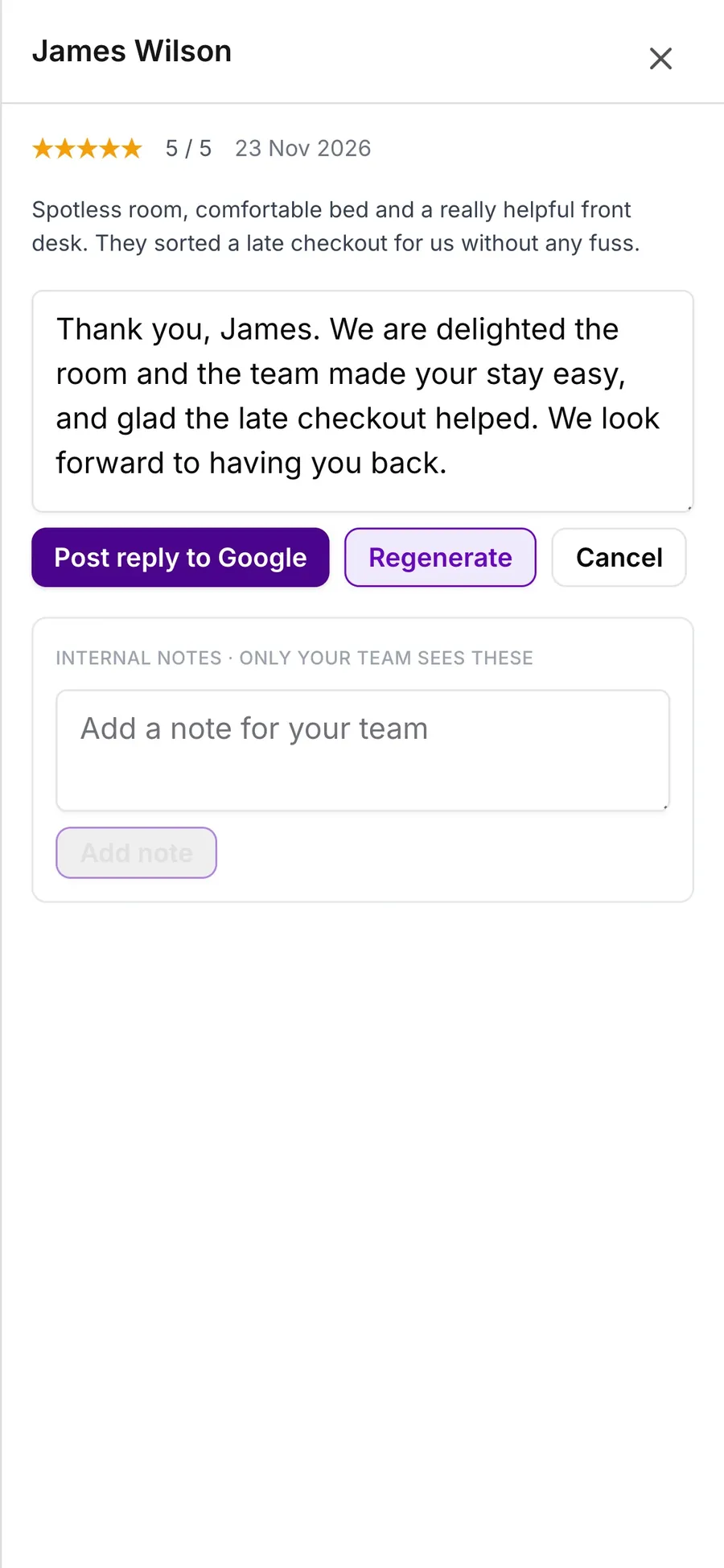
What Reviews changes.
Typical results across properties on DigiStay. Every property is different.
Reviews, step by step.
Every review in one inbox
Google, Booking.com, Expedia and Airbnb reviews all land in the same inbox, with the rating, the guest and what they wrote, newest first.
- Every source together
- Nothing to check site by site
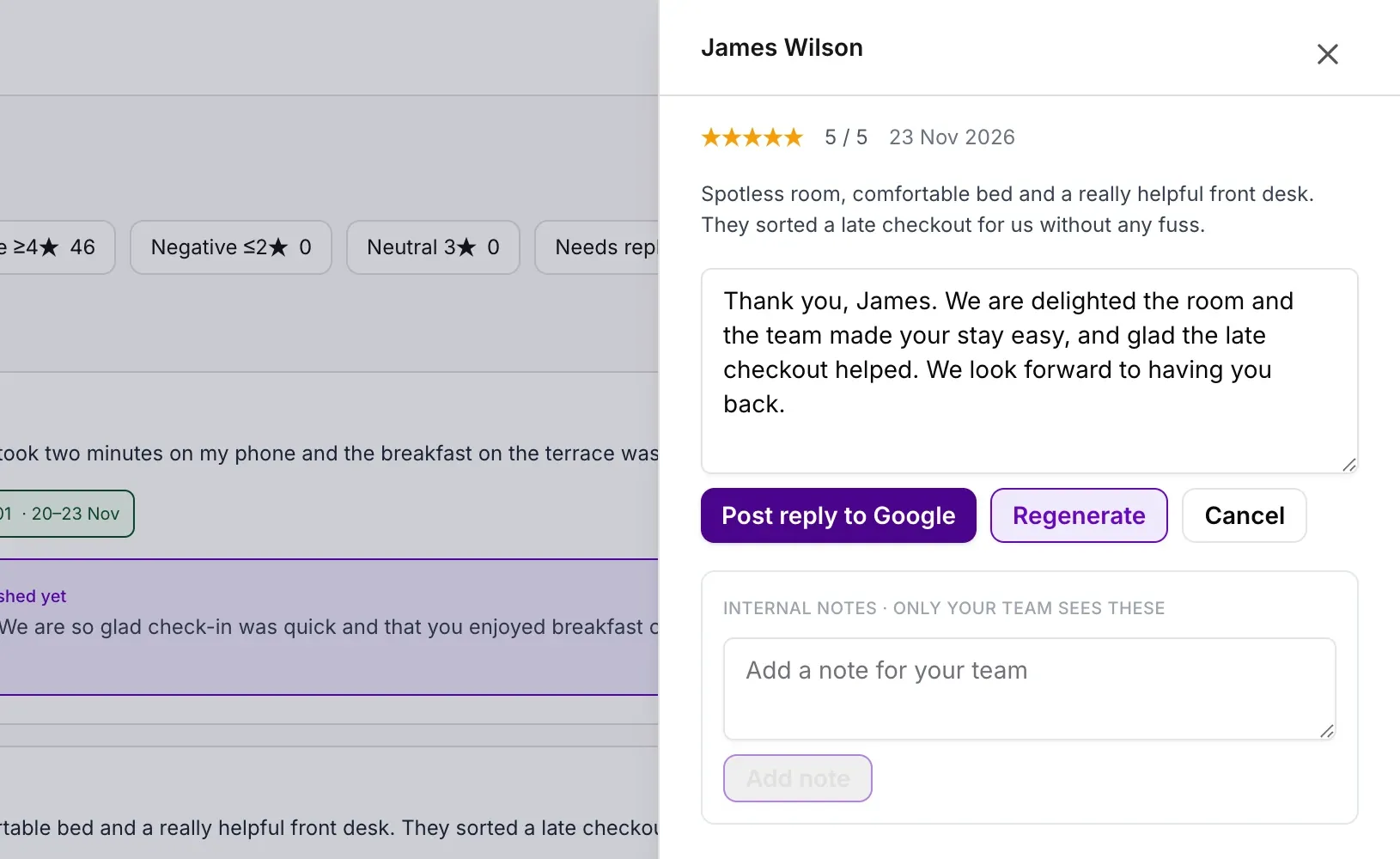
DigiAI drafts the reply
Open a review and DigiAI has already written a reply in your voice. Read it, change a word if you want, and send it on.
- A draft ready on every review
- Edit before you send, or send as is
Asked at checkout, on WhatsApp
A rating request goes out on WhatsApp the moment a guest checks out, so the ask lands while the stay is still fresh.
- Sent automatically at checkout
- Nobody at the desk has to remember to ask
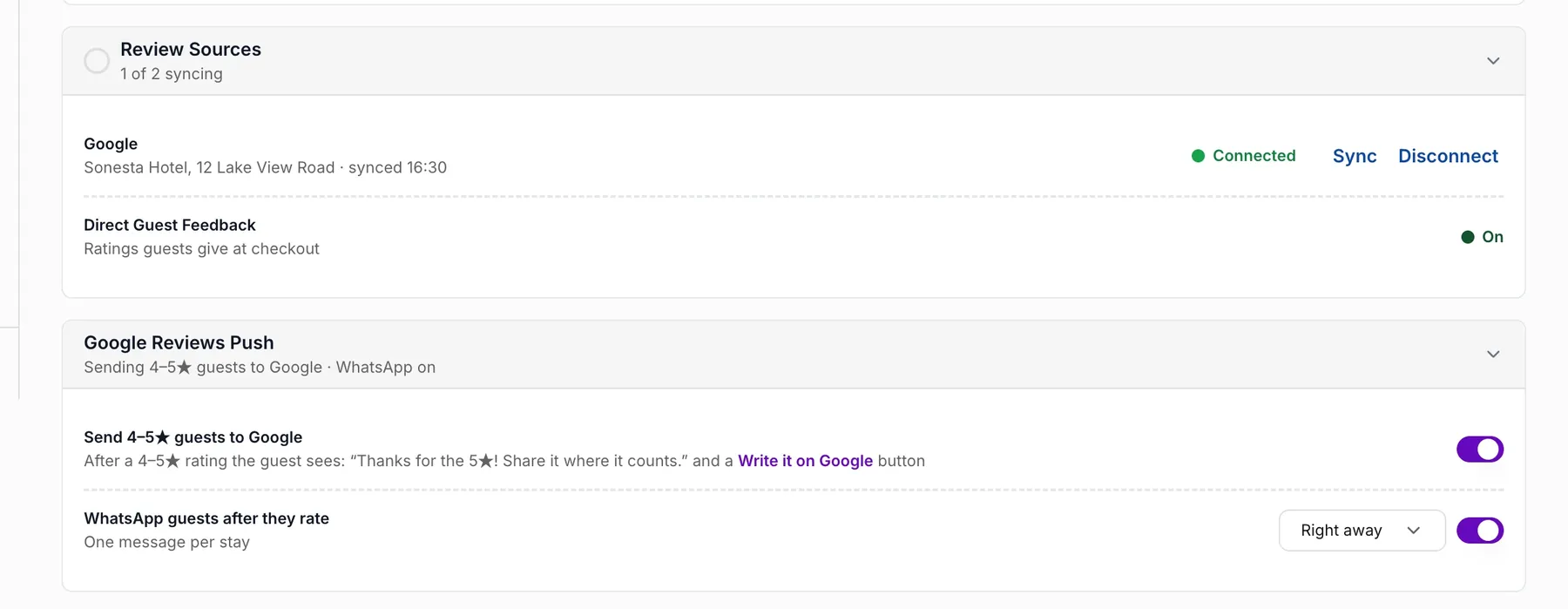
Happy guests go to Google, quietly
A 4 or 5 star rating is invited to post on Google. A lower rating stays with you as private feedback and is never posted anywhere.
- 4-5 star ratings invited to Google
- Lower ratings stay private, always
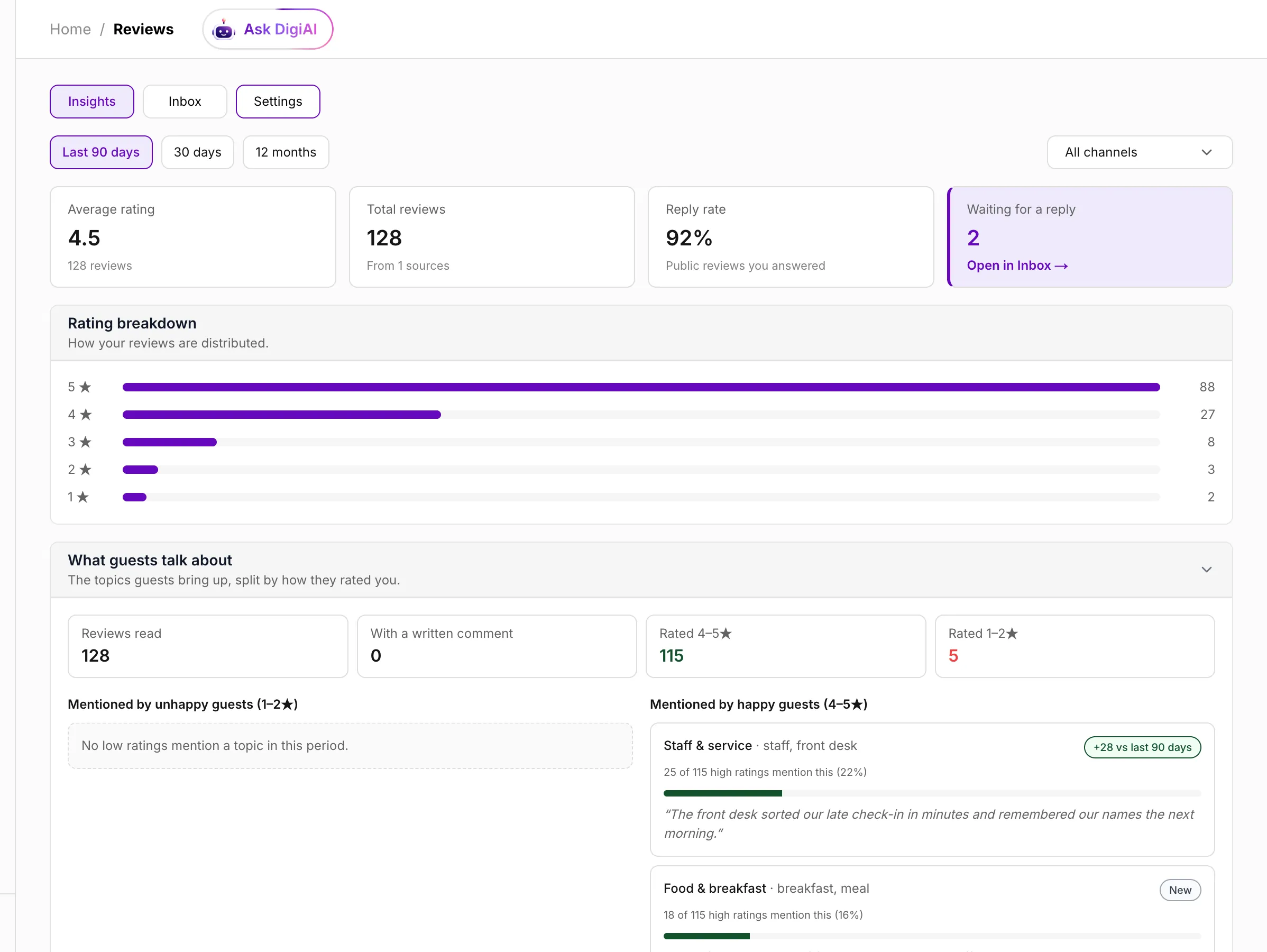
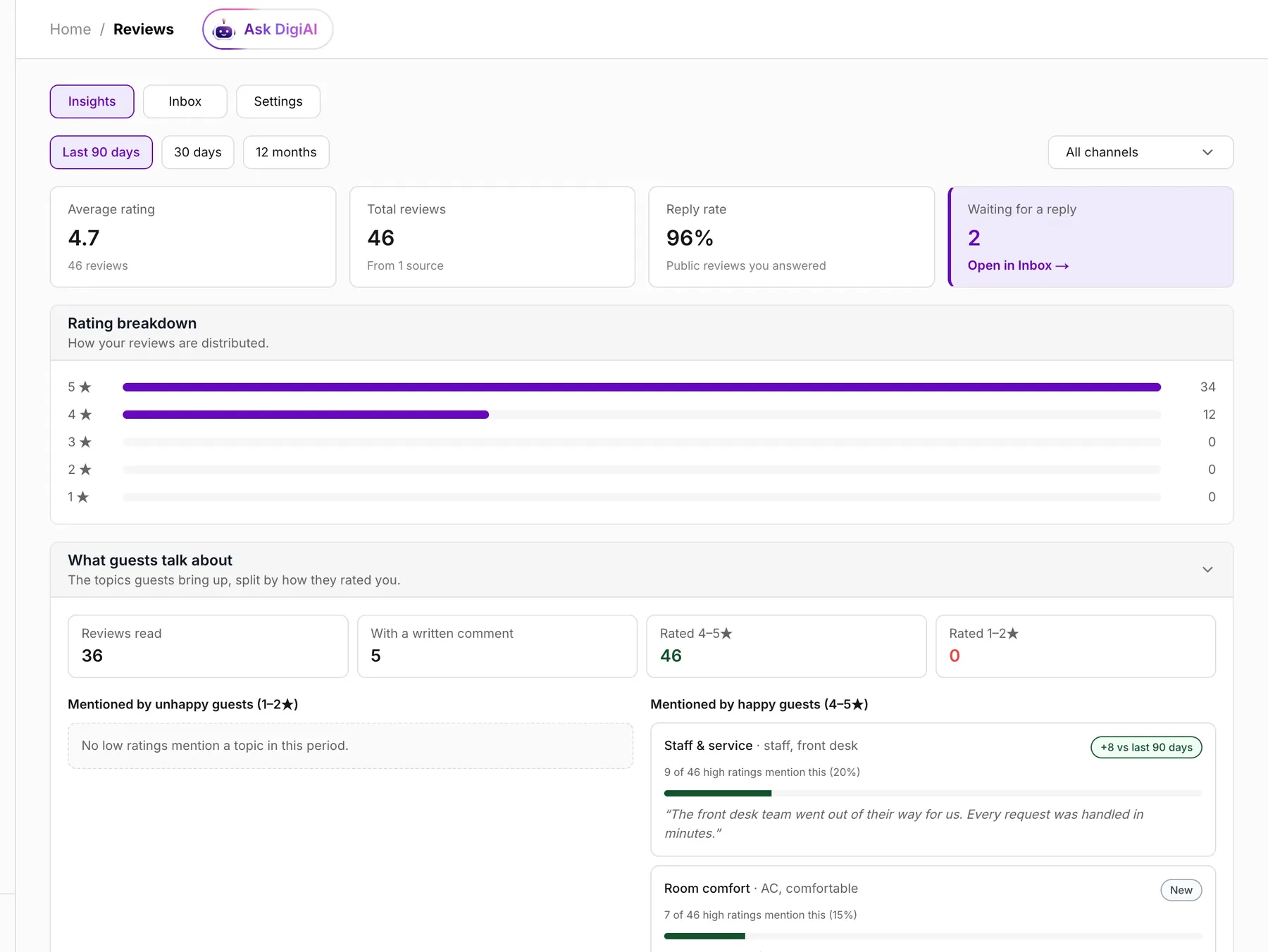
See what guests mention most
Ratings by source, the trend over time and the topics guests bring up again and again, in one view.
- Ratings from every source
- The topics guests mention most
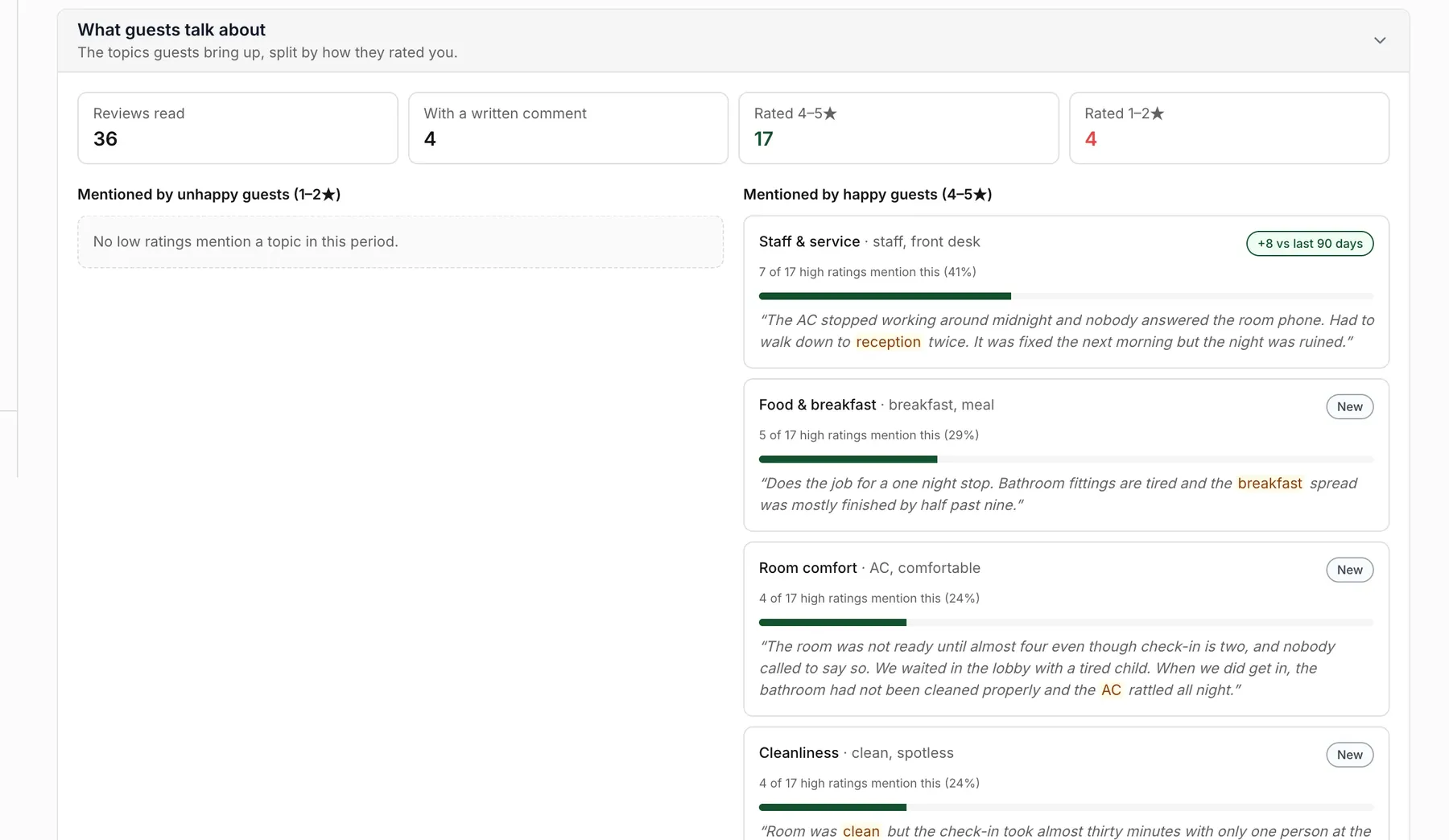
Track the whole funnel
See how many guests were asked, how many rated, how many went on to Google and how many replies landed, as a straight count, not a guess.
- Asked, rated, sent and landed
- One count for each step
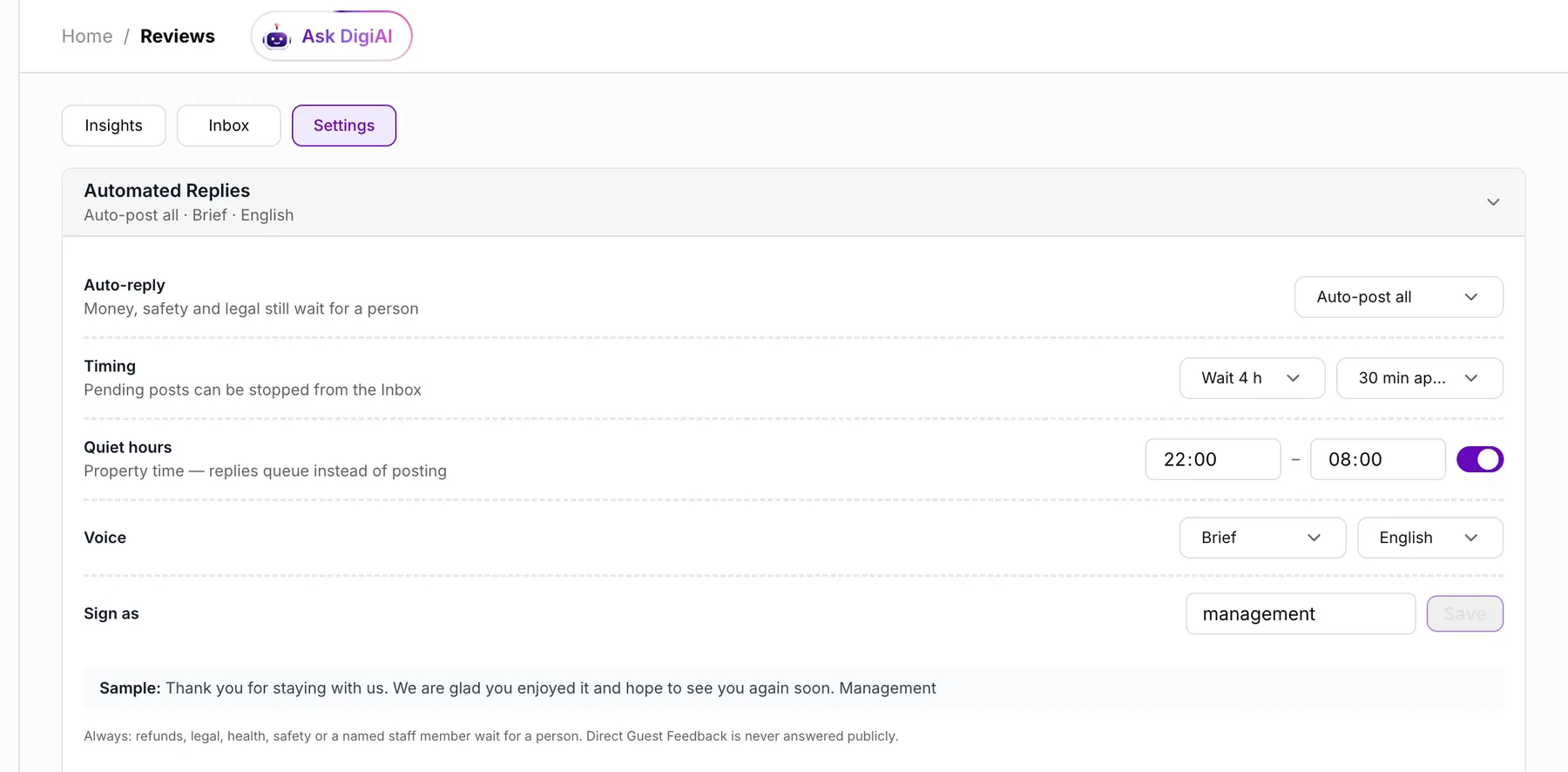
Reply in your own voice
Choose how replies sound and when they go out, from held for you to check first, to sent the moment a review arrives.
- Set the reply voice once
- Automatic or held for review
Pairs well with Reviews.
Questions about Reviews.
Which review sites do you cover?
Google, Booking.com, Expedia and Airbnb reviews all arrive in the same inbox.
Does DigiAI write the reply for me?
Yes. DigiAI drafts a reply on every review. Send it as it is or edit it first.
How do you ask guests to leave a review?
A rating request goes out on WhatsApp at checkout.
Do all ratings get posted to Google?
No. Guests who rate 4 or 5 stars are invited to post on Google. Lower ratings stay with you as private feedback and are never posted.
Can I see what guests mention most?
Yes. Insights shows ratings by source, the trend over time and the topics that come up most in what guests write.
See reviews on your own property.
A short call, with your own rooms and rates.