
Every booking, in one place.
Booking-site, website, phone and walk-in bookings land in one list and one stay view. Extend a stay, swap two rooms, give each room in a booking its own dates or take a group, and every screen updates at once.

What Reservations changes.
Typical results across properties on DigiStay. Every property is different.
Reservations, step by step.
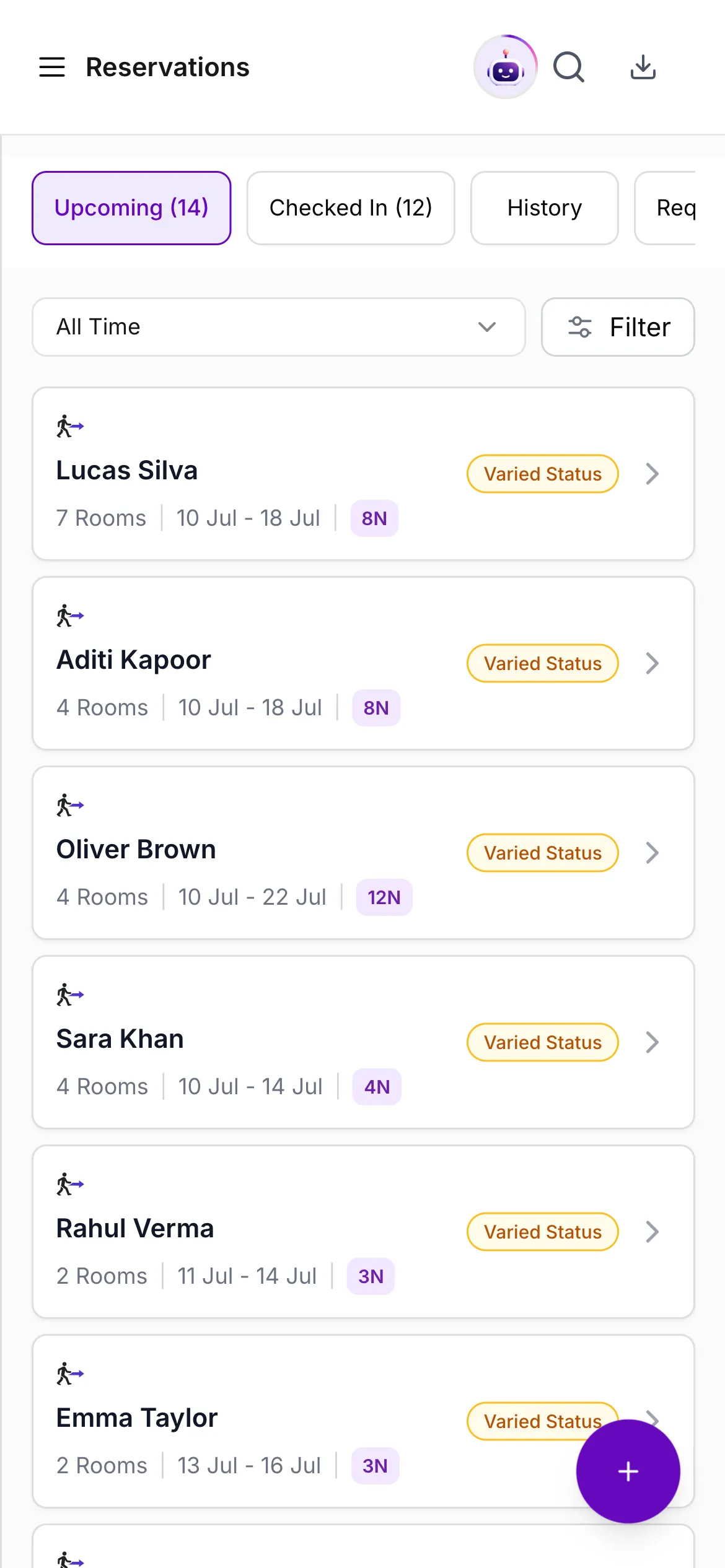
Every booking in one list
Booking.com, Expedia, Airbnb, your website, phone calls and walk-ins arrive in the same list, each marked with where it came from. Nothing to copy across.
- Source on every booking
- Upcoming, checked in and history
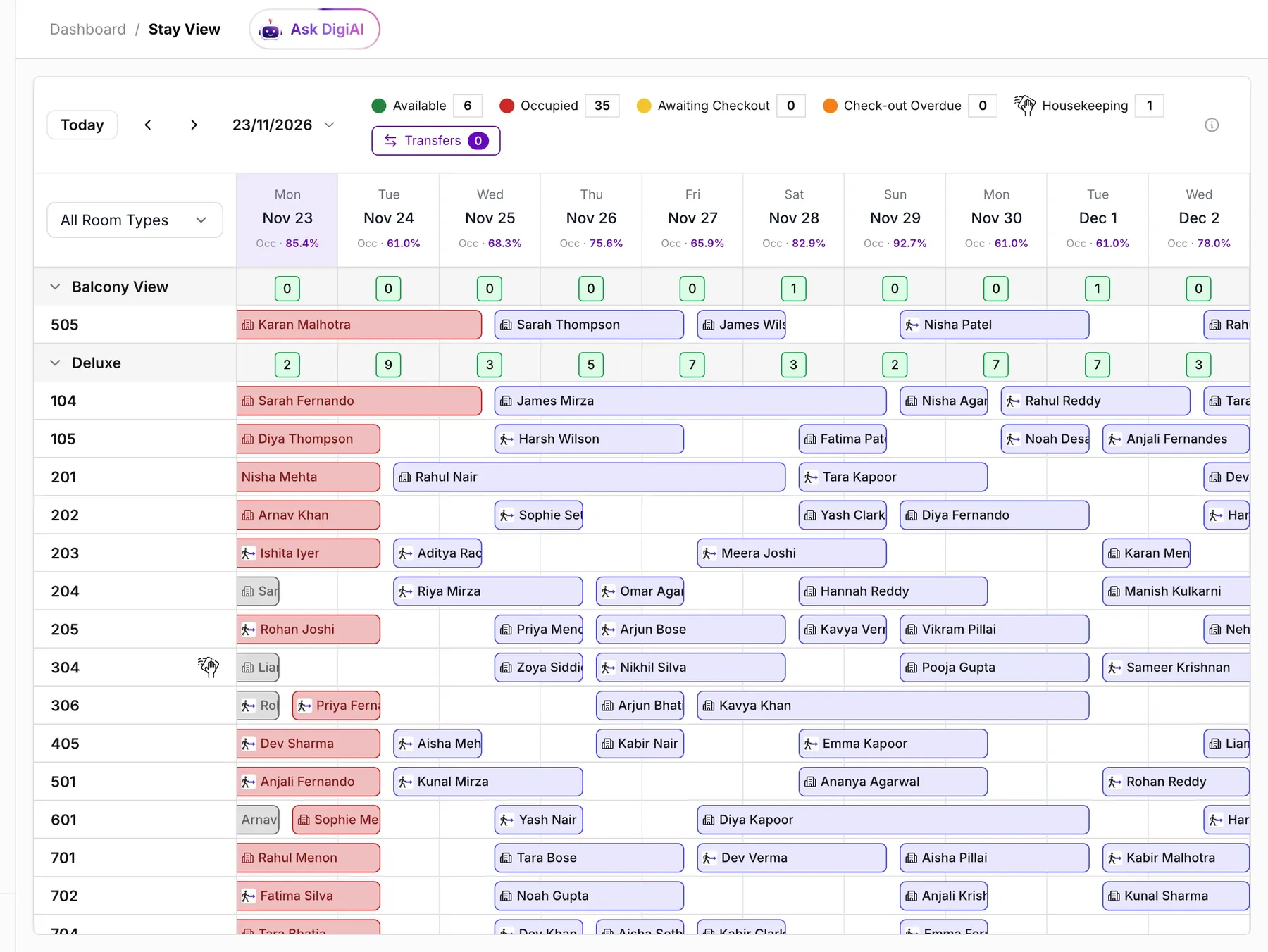
See the week ahead
Stay view shows every room by date, with where each booking came from. Open a booking and extend the stay, and the extra night is priced and added to the bill.
- Every room by date, every source
- Extend a stay in two taps
Swap two rooms
Two guests want to trade rooms? Swap them in one step. Each guest keeps their own rate, charges and payments.
- One tap, both rooms
- Rates stay with each guest
Split a reservation
Keep one booking and give each room its own check-in and check-out dates. A family arriving on different days, or a group leaving in waves, stays on one reservation and one bill.
- Different dates for each room
- One booking, one bill
Add-ons for one room or the whole booking
Add breakfast, an extra bed or early check-in to one room, or an airport transfer or a cake to the whole booking. Each add-on lands on the right part of the bill.
- Room add-ons
- Booking add-ons
Group bookings, one reservation
Book many rooms under one name for a wedding, a tour or a company. Assign the rooms in one go and bill them together or separately.
- Many rooms, one reservation
- Bill together or separately
One form for every phone and walk-in booking
Pick the source, dates and rooms, then set the guests. Extra adults and children are priced from the rate plan as you add them, add-ons and the advance go on, and the room closes on every booking site the moment you save.
- Extra adult and child prices built in
- Advance taken at booking
Pairs well with Reservations.
Questions about Reservations.
Will I still get double bookings?
No. When a room is booked anywhere, on a booking site, your website, by phone or at the desk, it closes on every connected site straight away.
Do Booking.com, Expedia and Airbnb bookings come in by themselves?
Yes. They land in the same list and stay view as your direct bookings, with the guest, dates, room and amount filled in. Nothing to type.
Can one booking have rooms with different dates?
Yes. Split the reservation and give each room its own check-in and check-out dates. It stays one booking with one bill.
How do I take a phone or walk-in booking with an advance?
Create the booking, then send the guest a payment link on WhatsApp or SMS. The booking is confirmed when they pay.
Can a group pay on one bill or separately?
Either. Keep all rooms on one bill for the organiser, or let each guest settle their own room.
See reservations on your own property.
A short call, with your own rooms and rates.