
Invoices ready to file, in any country.
The right tax on every line, wherever you are. Invoices create themselves at checkout and go to the guest on WhatsApp, and credit notes, refunds and receipts are a tap away.

What Invoicing and taxes changes.
Typical results across properties on DigiStay. Every property is different.
Invoicing and taxes, step by step.
The right tax on every line
Each line gets its own rate. In India a room up to ₹7,500 a night takes 5% GST and above that 18%, worked out on the price the guest actually pays. In the UK the same bill carries VAT.
- GST, VAT or local taxes
- Slab set by the price after discount
Invoiced and sent at checkout
Switch it on once. At checkout the tax invoice is created and sent to the guest on WhatsApp, and restaurant bills do the same when the table settles.
- Auto-create at checkout
- Restaurant bills too
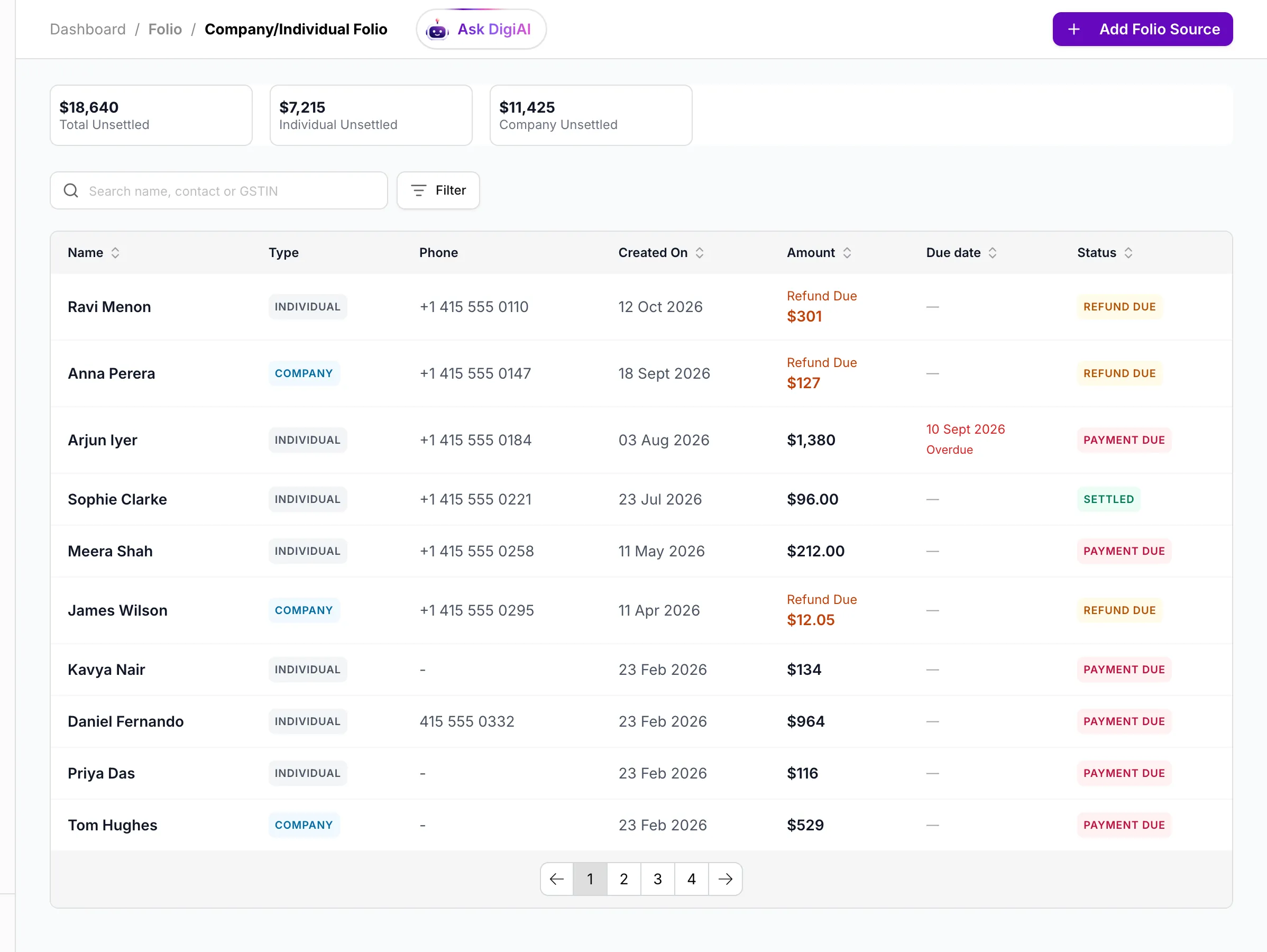
A guest account for every stay
Every stay has a guest account with its room, food and extra charges, payments and discounts. Move charges to a company or individual folio and back, and send a payment link straight from it.
- Charges, payments and discounts together
- Move to a folio and back
Company details from the GSTIN
Type the guest company’s GSTIN and its name and address fill in by themselves, ready for a business invoice. You can still edit them.
- Address filled from the GSTIN
- Company and individual invoices
Credit notes, refunds and receipts
Pick the lines to reverse and a credit or debit note is created against the invoice. Record a refund with its reference, or give a payment receipt for an advance.
- Credit and debit notes
- Refund vouchers and receipts
Your template, your bank details
Start from the standard invoice, copy it and make it yours. Print your bank and UPI details on every invoice so guests and companies can pay from it.
- Editable templates
- Bank and UPI on the bill
Invoice numbers in sequence
Set your own prefix and series once. Every invoice, note and receipt takes the next number, with no gaps to explain.
- Your own prefix and series
- Notes and receipts numbered too
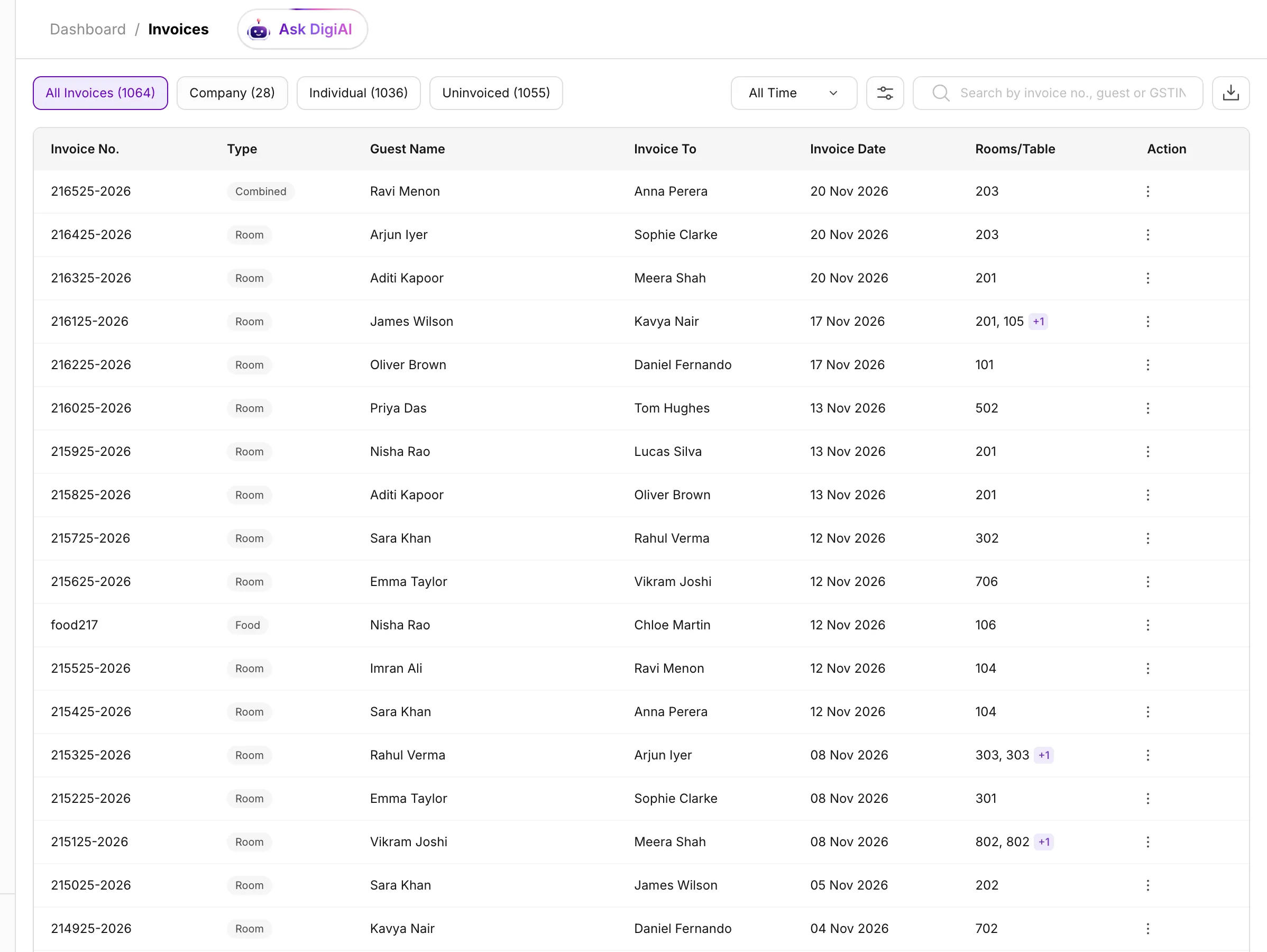
Every invoice in one hub
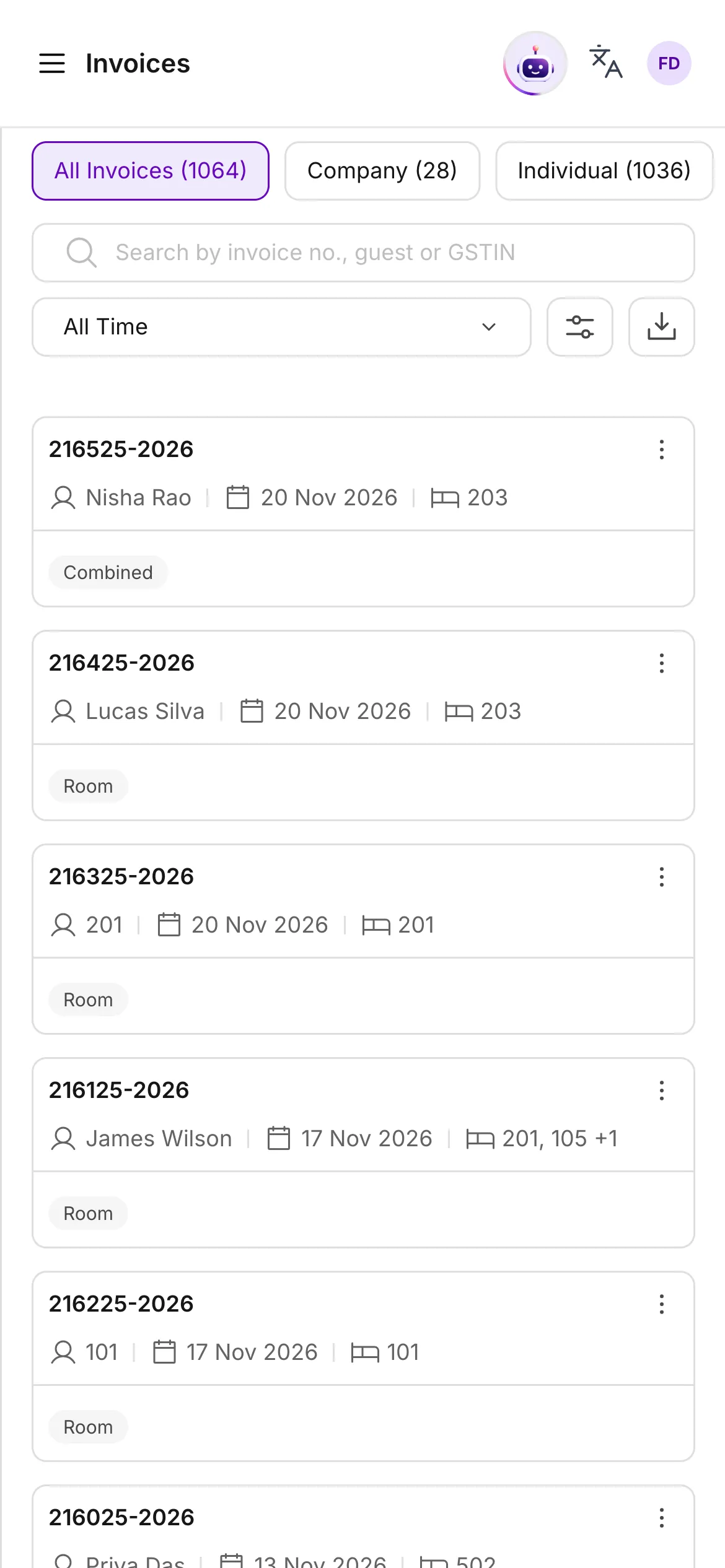
All invoices in one list, by company or individual, with what is still uninvoiced. Search by invoice number, guest or GSTIN, then export the PDFs.
- Search by number, guest or GSTIN
- Export PDFs in one go
Pairs well with Invoicing and taxes.
Questions about Invoicing and taxes.
Does it work in my country?
Yes. Invoices use your local taxes, currency and language, wherever your property is.
How is GST worked out on rooms in India?
A room up to ₹7,500 a night takes 5% GST and above that 18%, on the price the guest actually pays after any discount. Extra beds and extra guests follow the room’s rate, and food and other extras use their own.
Can invoices go to the guest automatically?
Yes. Switch on auto-invoice and the tax invoice is created at checkout and sent on WhatsApp. Restaurant bills can do the same when the table settles.
Can the invoice carry our bank and UPI details?
Yes. Add them once and they print on every invoice, or hide them whenever you like.
How do I correct an invoice?
Raise a credit or debit note against it for the lines that changed. The original invoice stays as it was, and the note takes the next number.
See invoicing and taxes on your own property.
A short call, with your own rooms and rates.