
Checked in before they reach the desk.
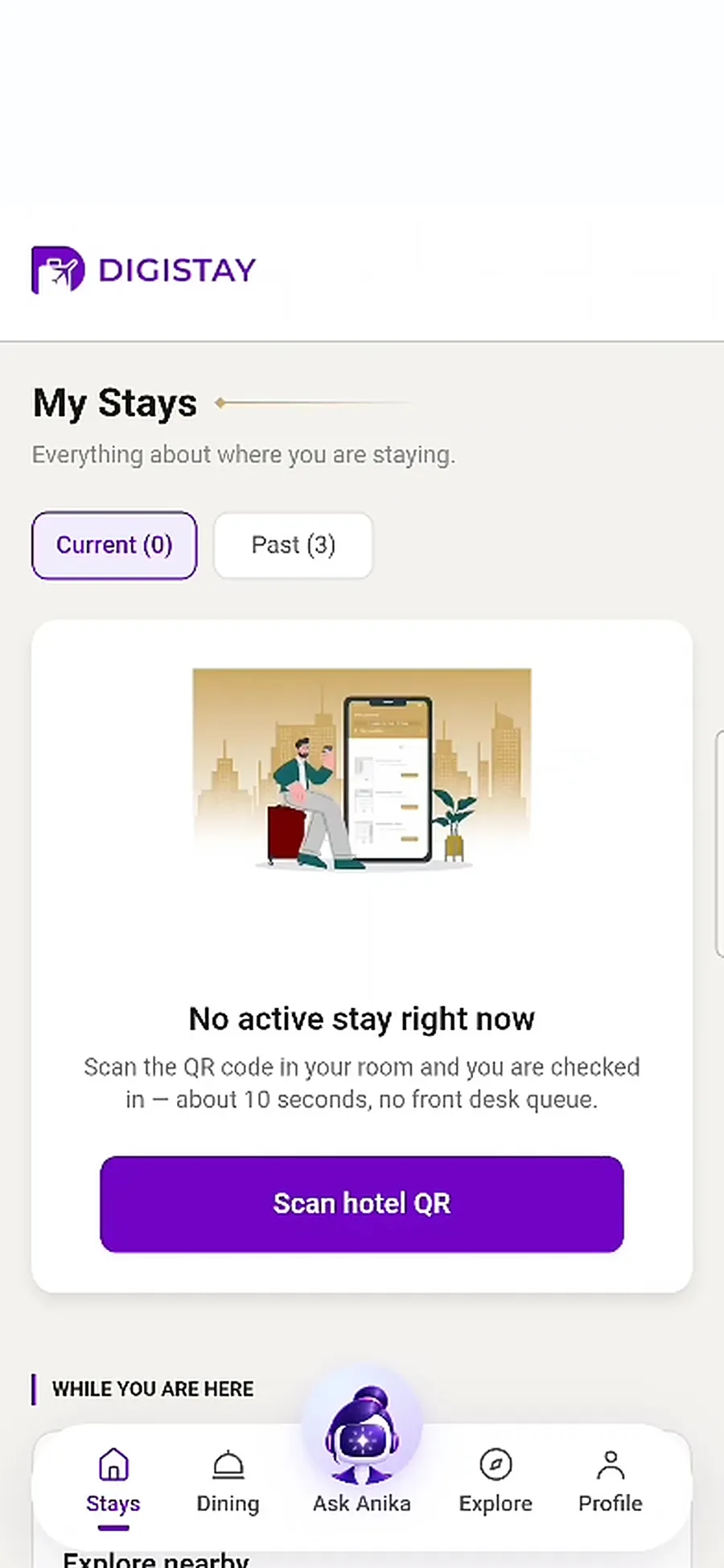
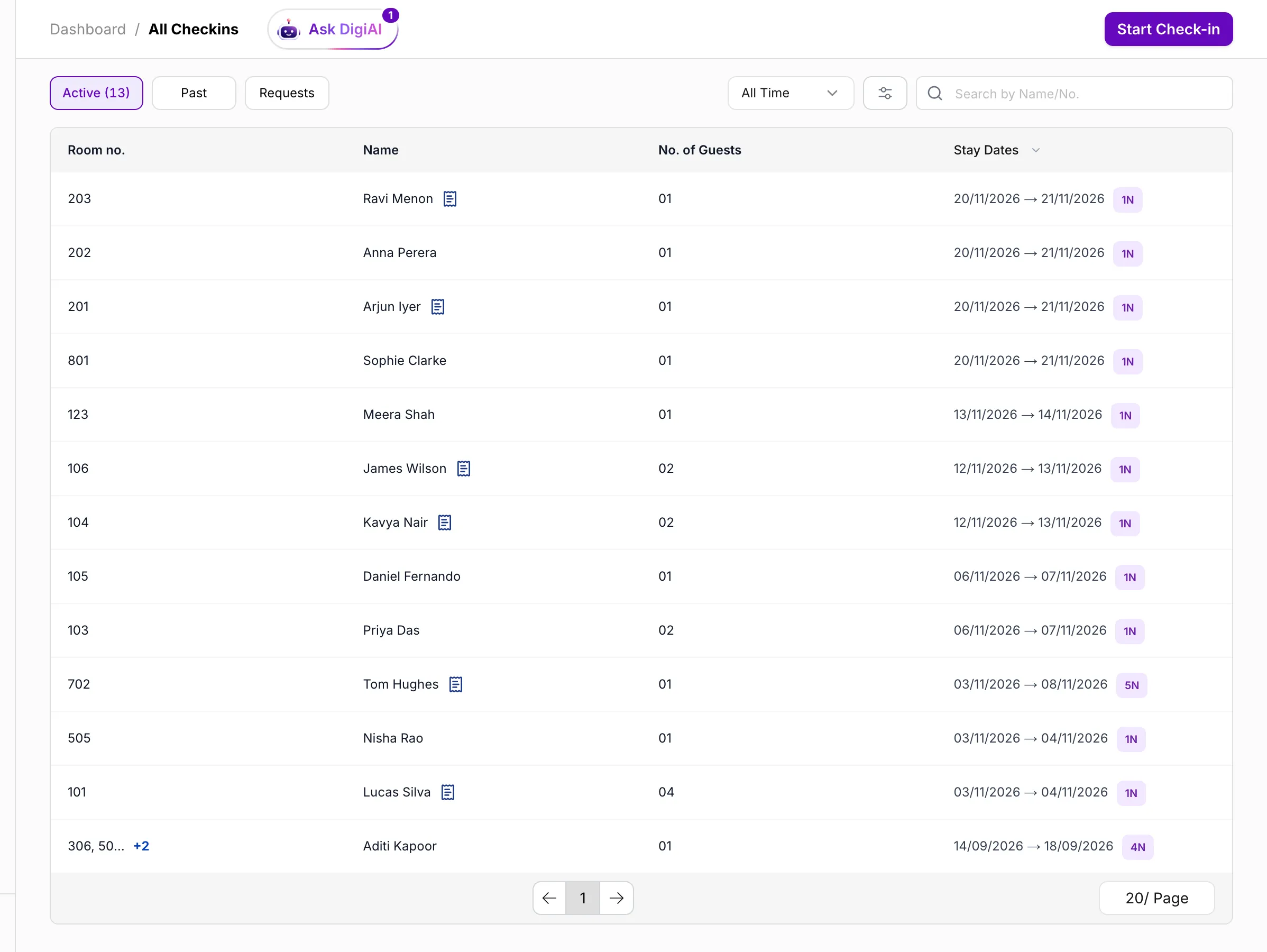
The check-in link goes out the moment a booking is made, with a payment link alongside if you want an advance. Guests add their details and ID from their phone, with no payment step inside check-in itself, and scanning the room QR at the property checks them in automatically, no staff needed.

What Online check-in changes.
Typical results across properties on DigiStay. Every property is different.
Online check-in, step by step.
Sent the moment the booking is made
The check-in link goes out on WhatsApp as soon as a booking is made, with a payment link alongside it if you want an advance. There is nothing for the desk to send.
- Sent automatically at booking
- Payment link optional, alongside it
Details and ID, no payment step
The guest opens the link, adds their details and uploads an ID. Check-in itself has no payment step, so nothing holds it up.
- Details and ID from the guest's phone
- No payment step inside check-in
Returning guests, already filled in
For a guest who has stayed before, their details and ID are pre-filled from their last stay. They confirm and they are done.
- Pre-filled from the last stay
- Confirm in a few taps
Scan the room QR, checked in
Guests already at the property scan the QR code in their room and are checked in automatically, with no staff involved.
- Scan the room QR code
- Checked in automatically, no staff
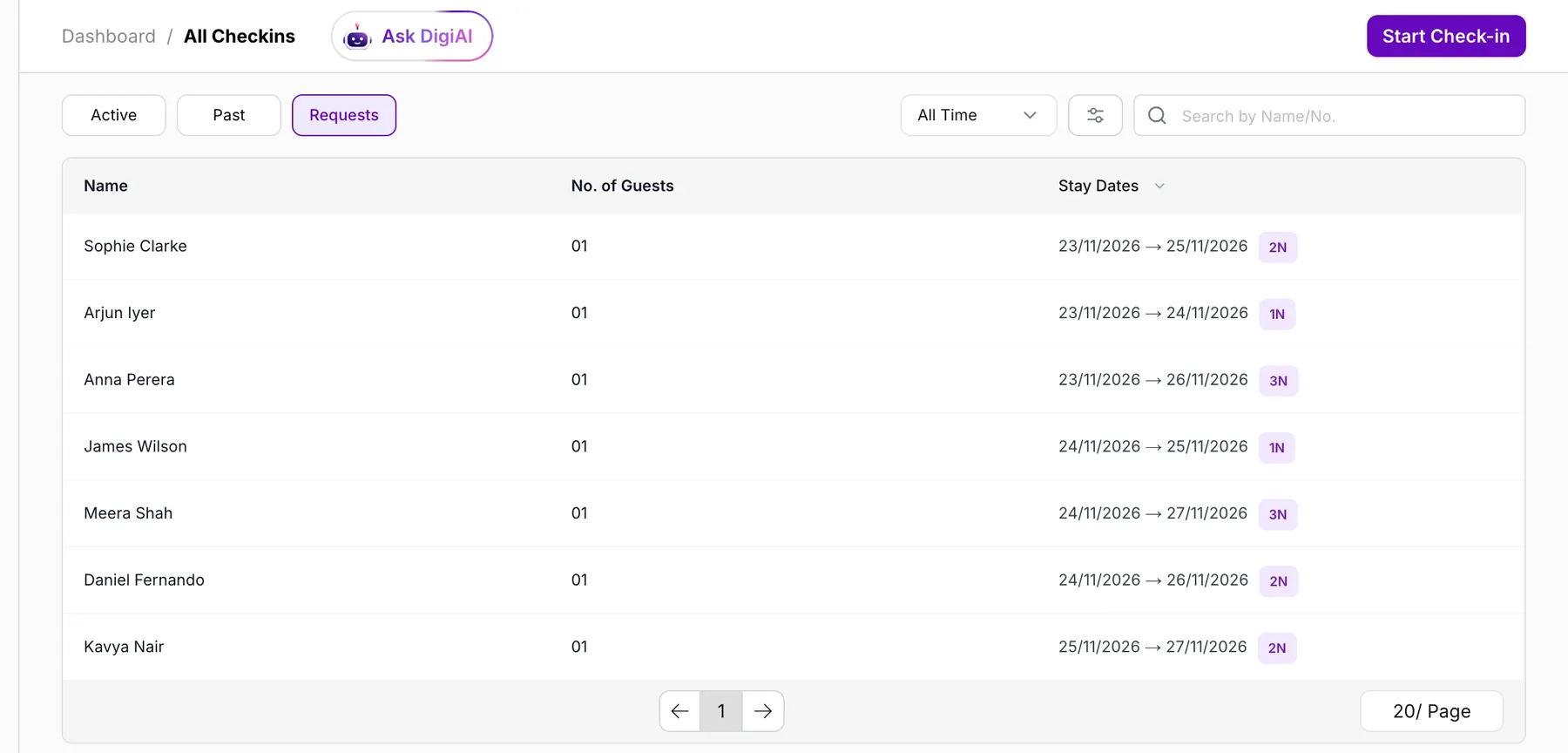
Every request waiting at the desk
Every online check-in arrives under All Check-ins, in Requests, with the guest's name, the number of guests and the stay dates.
- Name, number of guests and stay dates
- One list, nothing to chase
No app to download
Check-in opens in the guest's own phone browser, from a link or a QR code. Nothing to install.
- Works on any phone browser
- Opens from a link or a QR code
ID kept with the booking
The ID a guest uploads is kept on their booking, ready wherever it is needed, with nothing typed twice.
- Uploaded once
- Kept on the guest record
Pairs well with Online check-in.
Questions about Online check-in.
Does the guest need to pay to check in?
No. Check-in itself has no payment step. A payment link can go out alongside the check-in link if you want an advance.
How does the guest get the check-in link?
It is sent automatically on WhatsApp the moment the booking is made.
Do returning guests fill the form again?
No. Their details and ID are pre-filled from their last stay, and they just confirm.
How does a guest already at the property check in?
They scan the QR code in their room and are checked in automatically, with no staff needed.
Where does the desk see these requests?
Under All Check-ins, in Requests, with the guest's name, the number of guests and the stay dates.
See online check-in on your own property.
A short call, with your own rooms and rates.