
Guest reporting, filled for you.
Guest details from check-in go straight into Form C on e-FRRO for your foreign guests. DigiStay reads the passport, tracks the filing until it is done, and keeps every record on file.

What Guest reporting changes.
Typical results across properties on DigiStay. Every property is different.
Guest reporting, step by step.
Starts from the check-in, not a blank form
DigiStay spots a foreign guest at check-in and carries their name, nationality and passport details straight onto Form C. Nothing is typed twice.
- Only for foreign guests, detected automatically
- Name, passport and nationality carried over
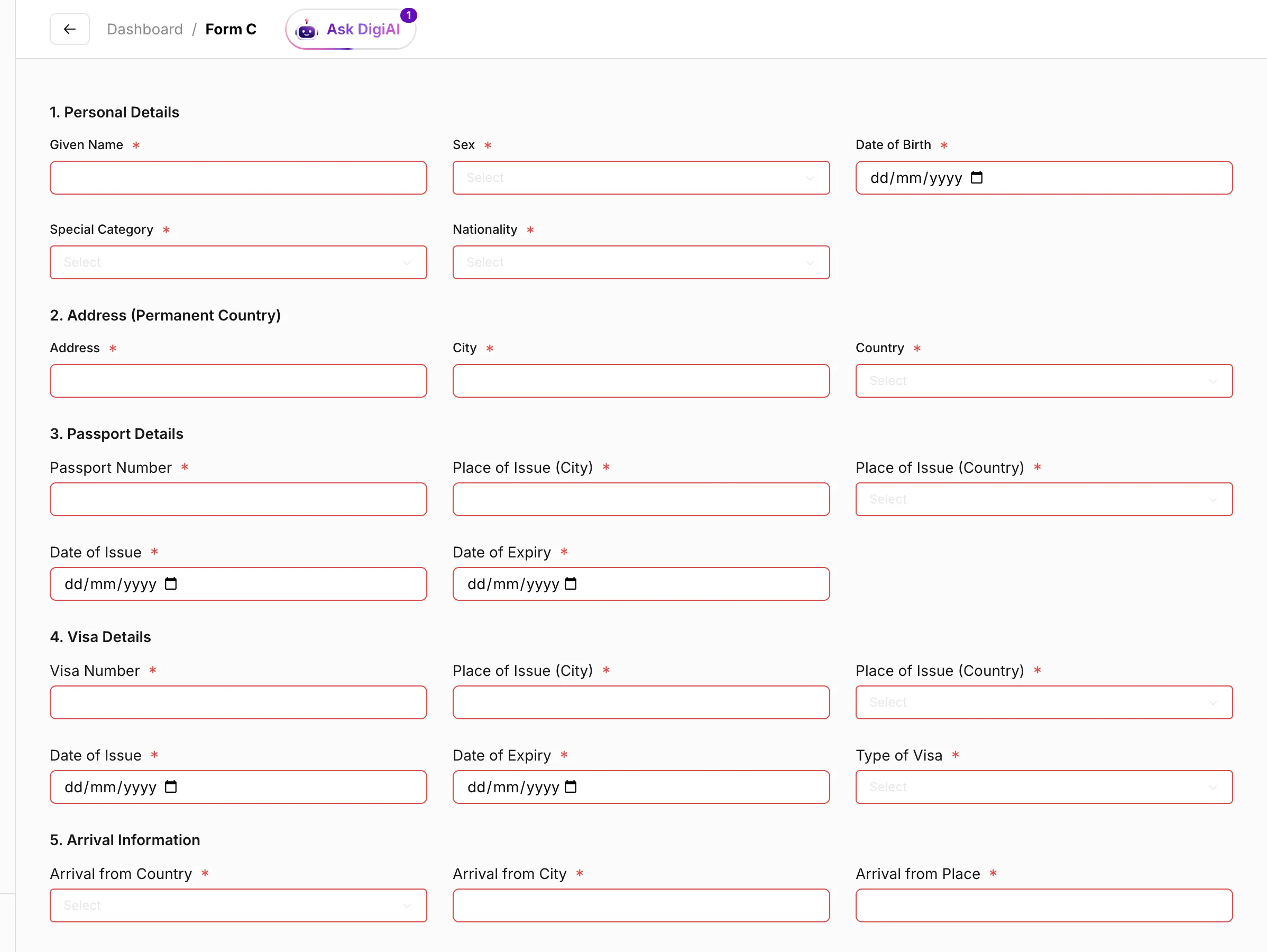
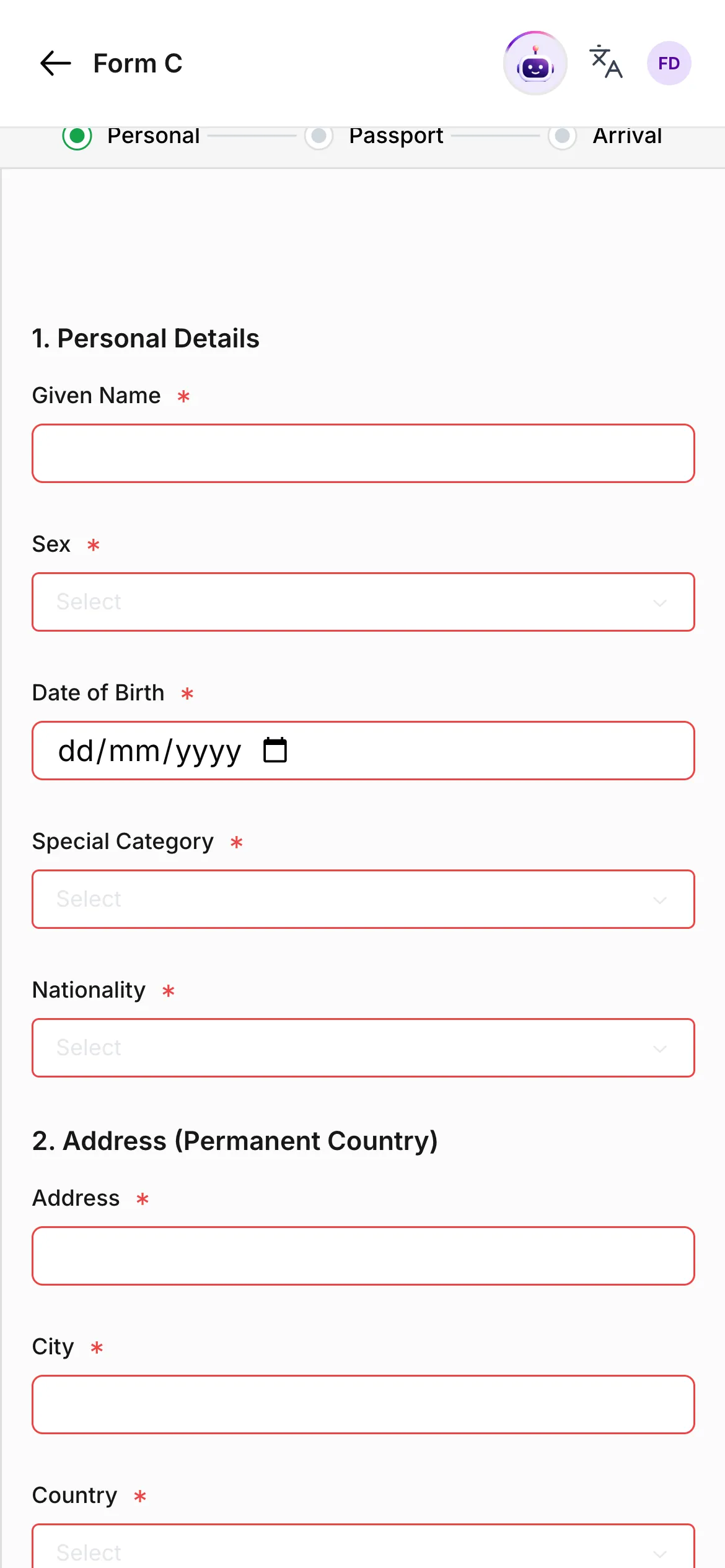
Three short steps: Personal, Passport, Arrival
Personal details, passport and visa, then arrival details. Each step is short, and nothing asks for information DigiStay already has.
- Personal, passport and arrival details
- Nothing to fill in twice
Scan the passport, DigiStay reads it
Scan or upload the passport page and DigiStay crops it and reads the passport number and expiry straight into the form.
- Photo or scan of the passport page
- Cropped and read automatically
Filed to e-FRRO, and you can see it move
Submit Form C and its status updates until it is done, so you are never left guessing whether a filing went through.
- Filed straight to e-FRRO
- Status updates until it is done
A filed Form C, ready to open
Once completed, the filed Form C sits on the guest record as a PDF you can open whenever you need it.
- One PDF per guest, on file
- Open it whenever you need it
Every filing on record
Every foreign guest’s Form C, filed or still pending, sits on one list, so you can find one in seconds.
- Every foreign guest, every stay
- Find one in seconds
Connect once, per property
Connect your e-FRRO login once for the property, and DigiStay warns you before it expires, so filings never quietly stop.
- Set up once for the property
- A warning before it expires
Pairs well with Guest reporting.
Questions about Guest reporting.
Which reporting portals do you support?
Form C on e-FRRO for foreign guests.
Do we still type guest details?
No. They come from the check-in and the passport scan.
Does this run for Indian guests too?
No. Form C is only for foreign guests, detected automatically at check-in.
How do we know a filing went through?
Its status updates until it is filed, and the completed Form C is ready to open.
Do we need to connect anything first?
Yes, once per property. Connect your e-FRRO login, and DigiStay warns you before it expires.
See guest reporting on your own property.
A short call, with your own rooms and rates.