
Close the day in one step.
At the audit time you set, DigiStay walks you through four steps: settle open restaurant bills, check out or extend due rooms, check in or mark no-shows, and create missing invoices. Then the day closes and the night audit report is ready.

What Night audit changes.
Typical results across properties on DigiStay. Every property is different.
Night audit, step by step.
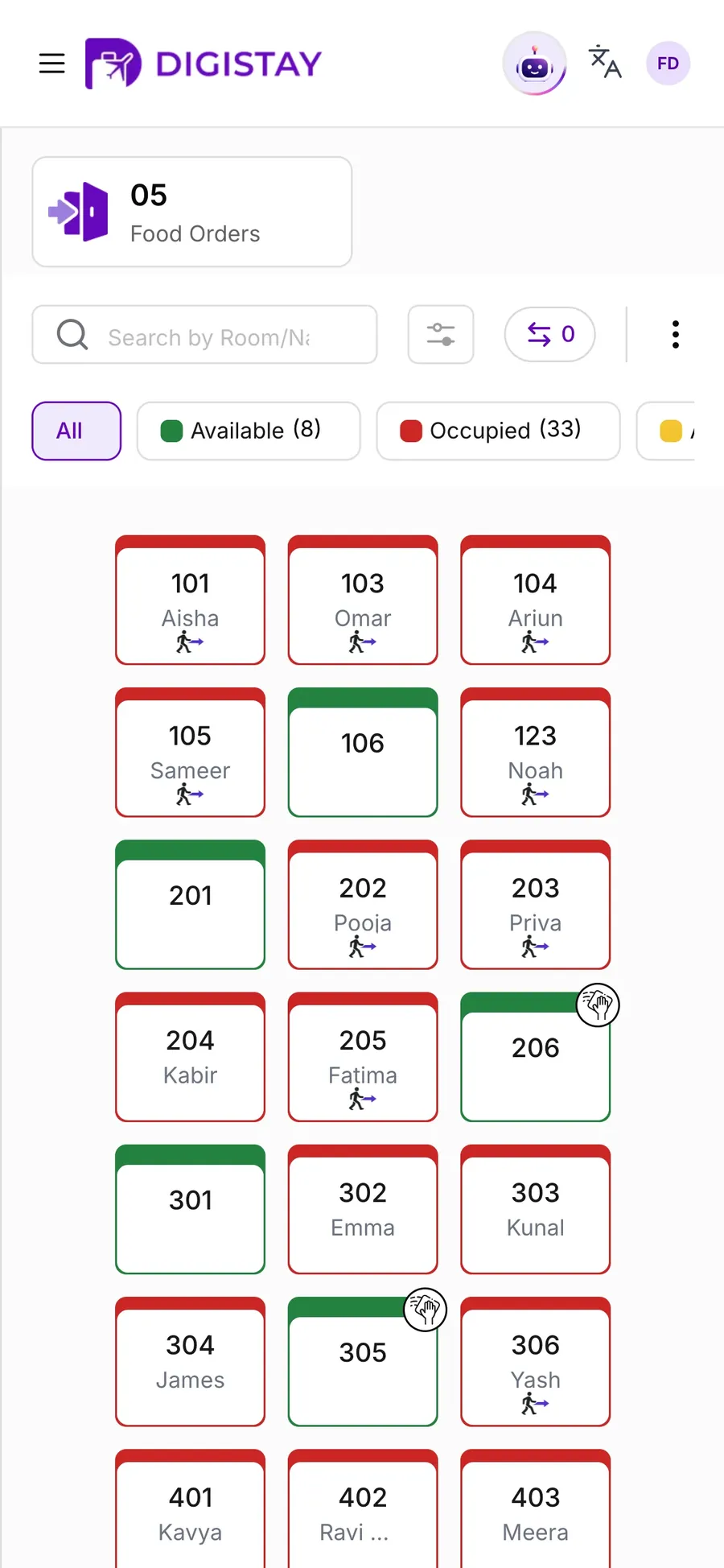
A banner at your audit time
At the time you set, a banner appears on Room View. Start the audit and DigiStay lists exactly what needs an action before the day can close.
- Audit time you choose
- Business date moves only when you close
Step 1 · Settle open restaurant bills
Every open restaurant and room-service bill shows with its amount. Settle each one, and the step turns green.
- Open bills listed with the amount
- Nothing closes with a bill open
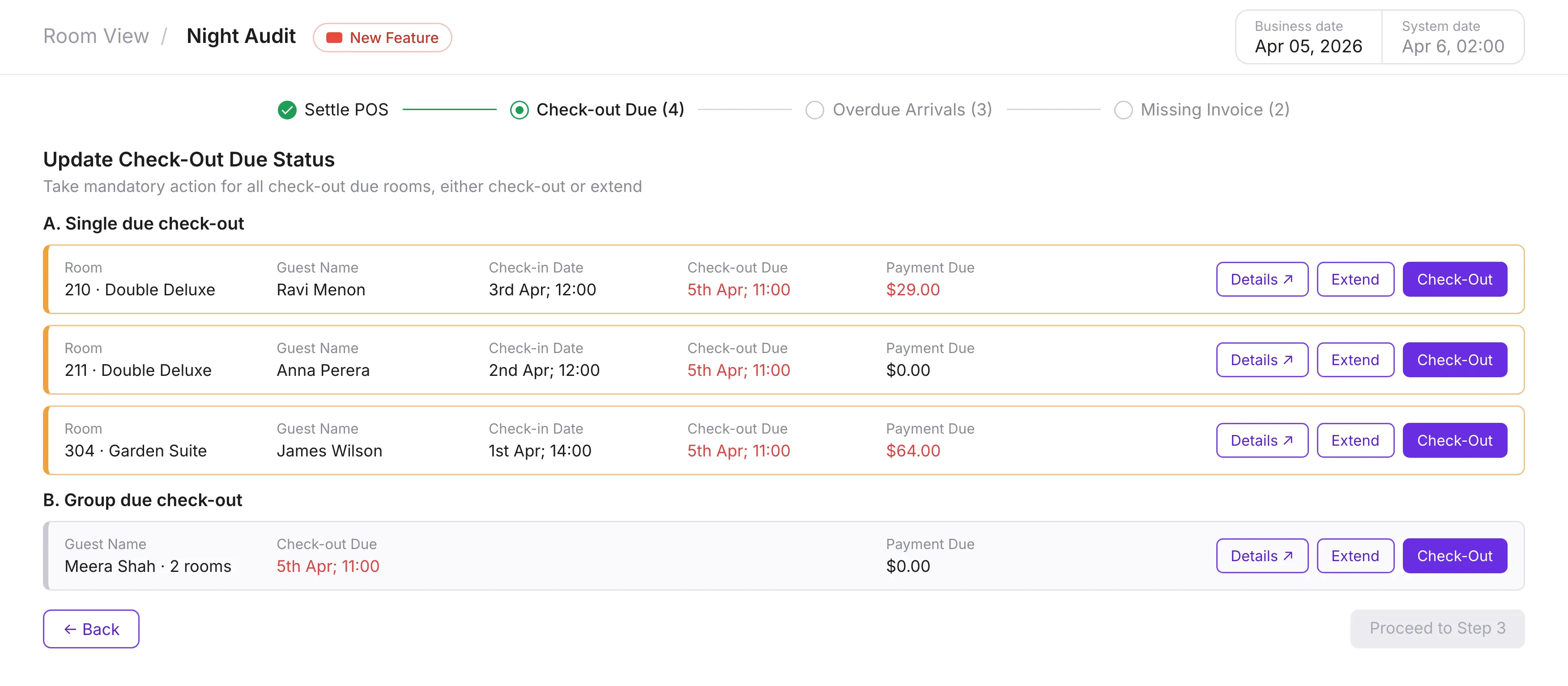
Step 2 · Check out or extend every due room
Each room due out is listed with what the guest still owes. Take the payment and check out, or extend the stay. Nobody checks out with a balance.
- Payment before checkout, no exceptions
- Extend in one tap
Step 3 · Overdue arrivals: check in or mark no-show
Guests who should have arrived are listed. Check them in if they turned up, or mark the no-show and the charge posts by itself.
- No-show charge posted by itself
- Room freed for tonight
Step 4 · Missing invoices never block the close
Folios without an invoice are listed so you can create them in a tap. If you are in a hurry, close the day anyway and create them in the morning.
- Create in one tap
- Optional before close
Day closed, report ready
The business date moves on only when the day is saved. You see arrivals, check-outs, money collected and invoices, then open the night audit report with occupancy, sales and payments by mode.
- Occupancy, sales and payments by mode
- Export to Excel or PDF
Pairs well with Night audit.
Questions about Night audit.
What happens at audit time?
A banner appears on Room View. Start the audit and DigiStay walks you through open bills, due rooms, overdue arrivals and missing invoices, then closes the day.
Can I check a guest out who still owes money?
No. Inside the night audit the balance must be settled first, by payment or by marking it to pay later. Then the checkout goes through.
What if a guest never arrived?
Mark the no-show in step 3. The no-show charge posts by itself and the room is freed for tonight.
Do missing invoices stop me closing the day?
No. Create them in a tap if you have time, or close the day and create them in the morning.
Can DigiAI run the night audit?
DigiAI can prepare the night audit and wait for your approval. The close itself stays with you.
See night audit on your own property.
A short call, with your own rooms and rates.