
Your hotel, in your pocket.
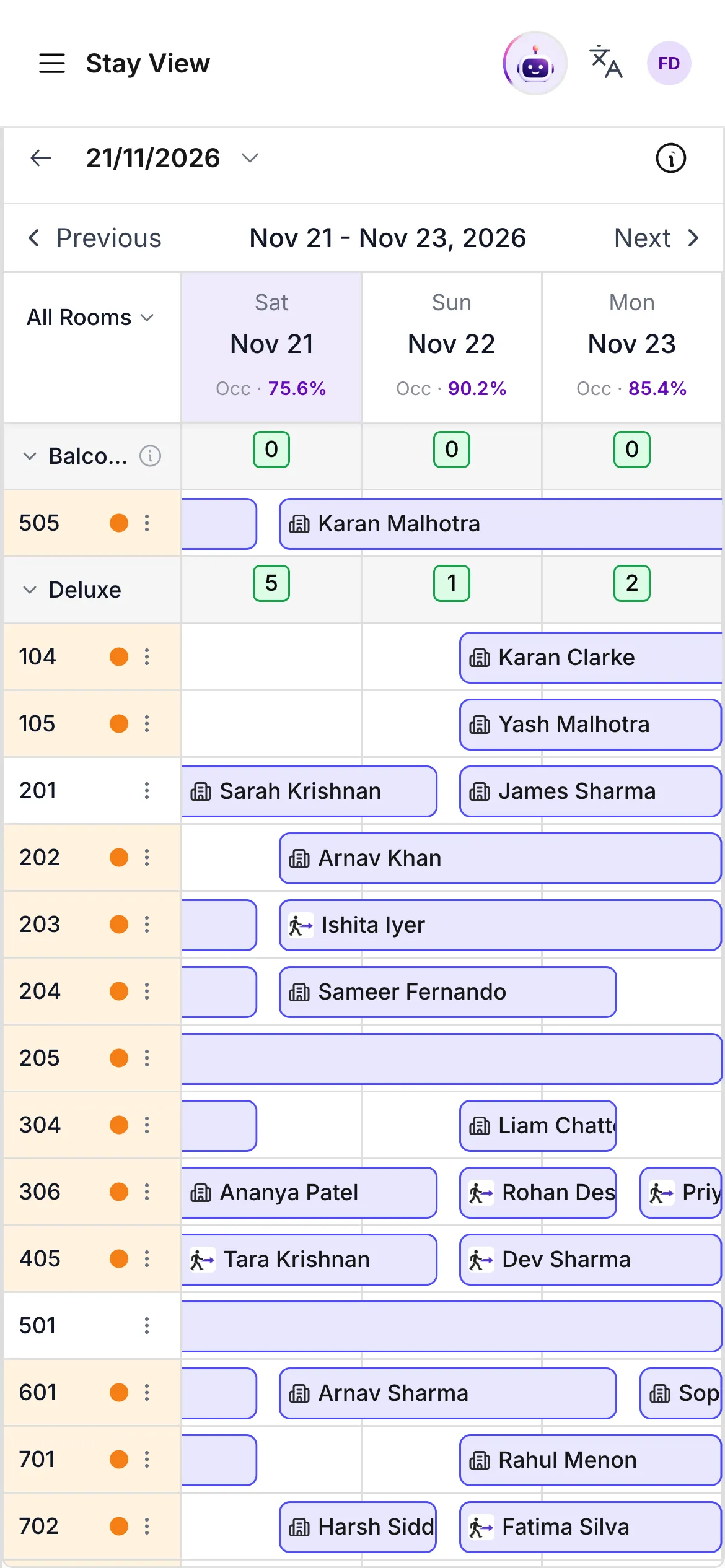
The full DigiStay, not a cut-down app. Room view, stay view, check-ins, orders, housekeeping and the night audit on any phone, with a login for every role. Approve a booking or a late checkout from wherever you are.

What Staff app changes.
Typical results across properties on DigiStay. Every property is different.
Staff app, step by step.
The whole hotel on your phone
Room view, stay view, check-ins, orders and invoices, the same live data as the desk. Nothing is cut down for the phone.
- Same screens as the desk
- Live, not a summary
Approve from anywhere
A booking the AI receptionist took, a late checkout a guest asked for, a payment to confirm: it arrives on your phone and you approve it in one tap.
- One tap to approve
- Guest told on WhatsApp
Check guests in on the phone
Open the arrival, scan the ID with the camera and finish the check-in. Nothing typed twice.
- ID scan with the camera
- Room assigned from the phone
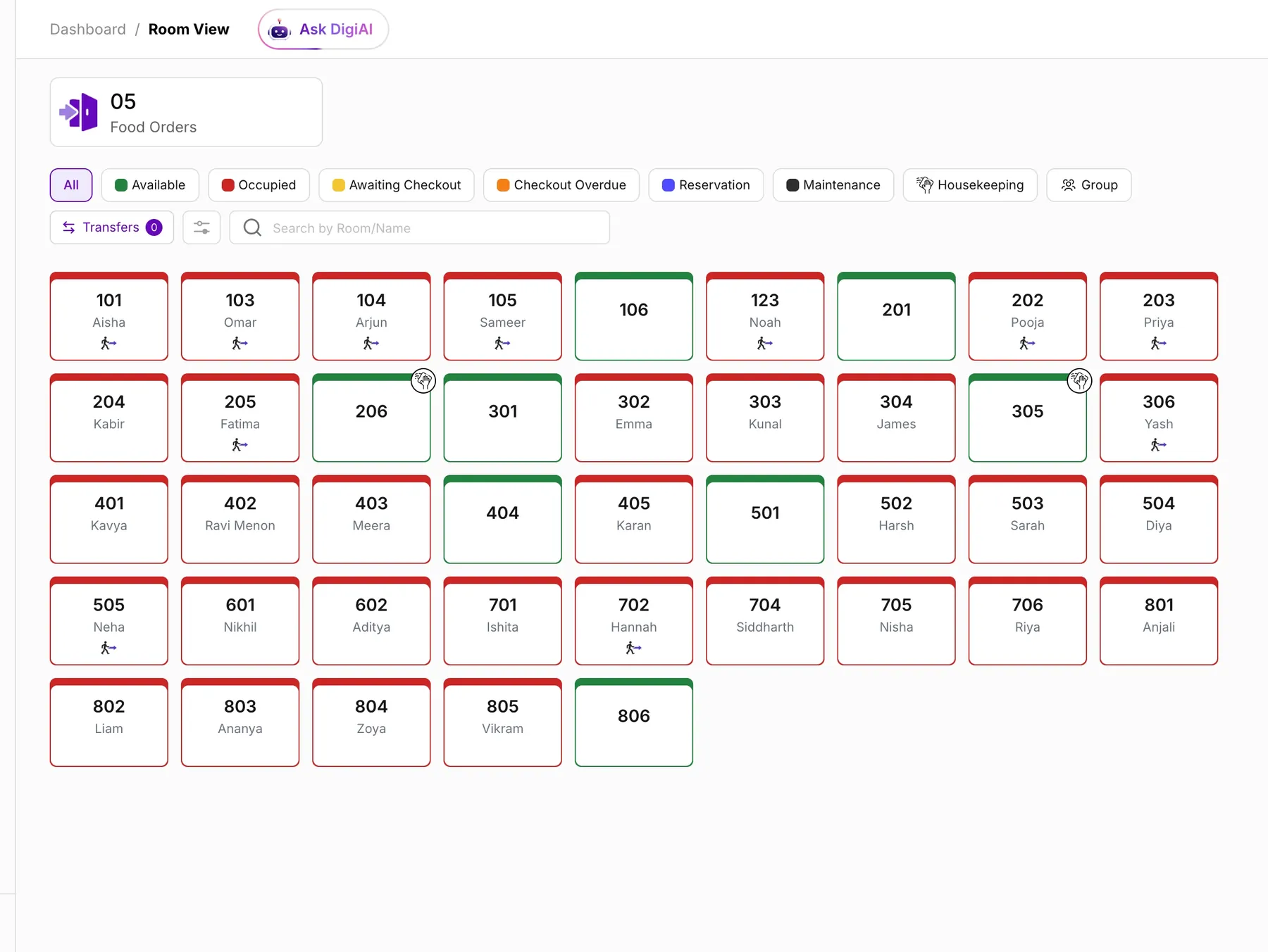
Housekeeping marks rooms clean
Housekeeping staff see the rooms to clean on their own phone and mark each one clean. The desk sees it ready to sell at once.
- Rooms to clean on every phone
- Ready to sell the moment it is clean
Night audit and reports on the phone
Run the night audit and read the report from your phone, the same steps as on the desk. The morning report reaches the owner without anyone at a computer.
- Same steps as the desk
- Report readable on a phone
A login for every role
Owner, manager, receptionist, housekeeping, kitchen: each person signs in to the same app and sees only what their role allows.
- Roles you define
- Nothing shown that a role should not see
Pairs well with Staff app.
Questions about Staff app.
Is the app a cut-down version of DigiStay?
No. It is the full DigiStay on a phone: room view, stay view, bookings, check-ins, orders, housekeeping and the night audit.
Is it included?
Yes. The app comes with DigiStay at no extra cost, for every login.
Which phones does it work on?
Any Android or iPhone. Staff sign in with their own login.
Can staff see everything?
No. Each role sees only what you allow: housekeeping sees rooms and status, the kitchen sees orders, a receptionist sees the front desk.
Can I approve a booking from outside the hotel?
Yes. Bookings, late checkouts and payments arrive on your phone and you approve them in one tap.
See staff app on your own property.
A short call, with your own rooms and rates.