
Every plate takes its stock out by itself.
Link each dish to its recipe and every order takes its ingredients out of stock on its own. Stock in with the purchase bill, issue to the kitchen, bar or rooms, and get warned before anything runs out or expires.

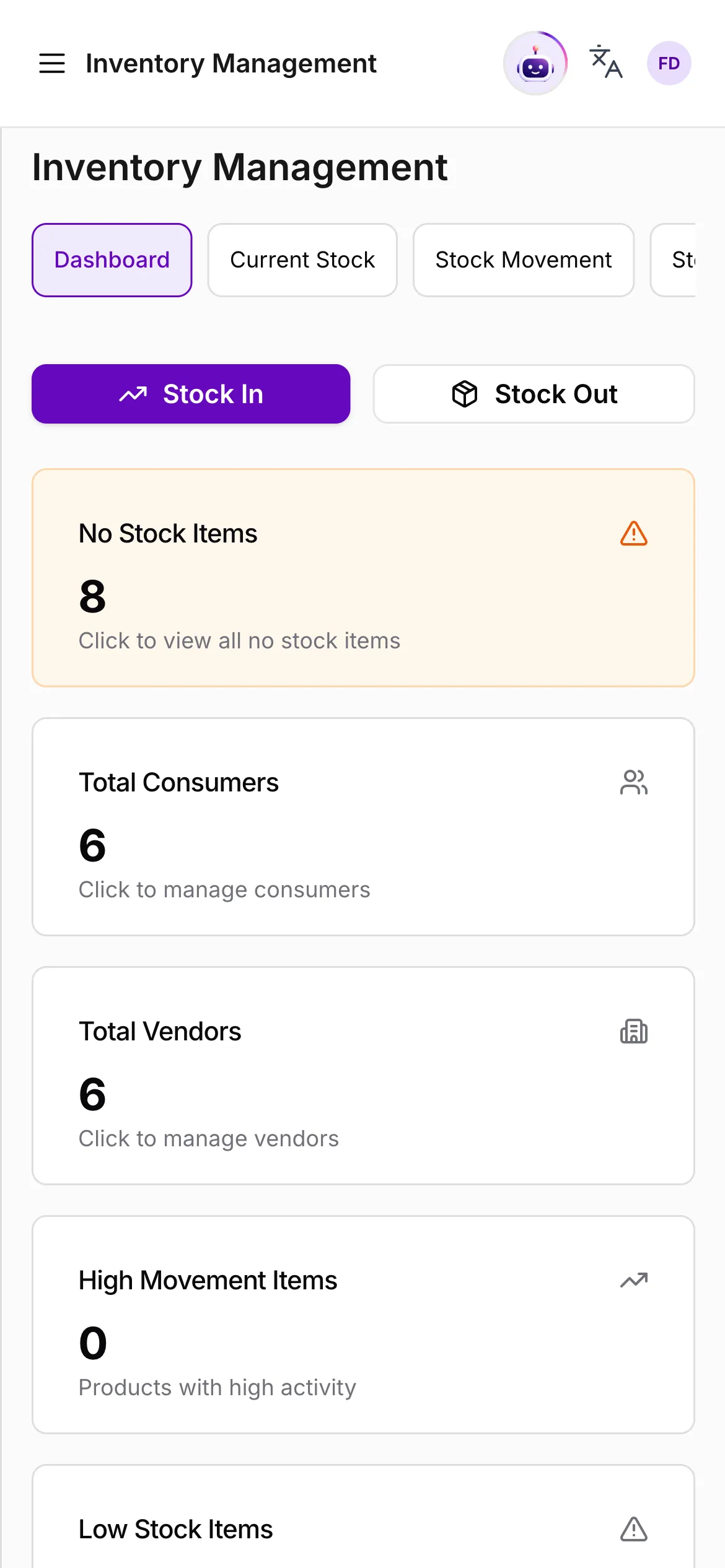
Stock that keeps itself honest.
Inventory and recipes, step by step.
Stock at a glance
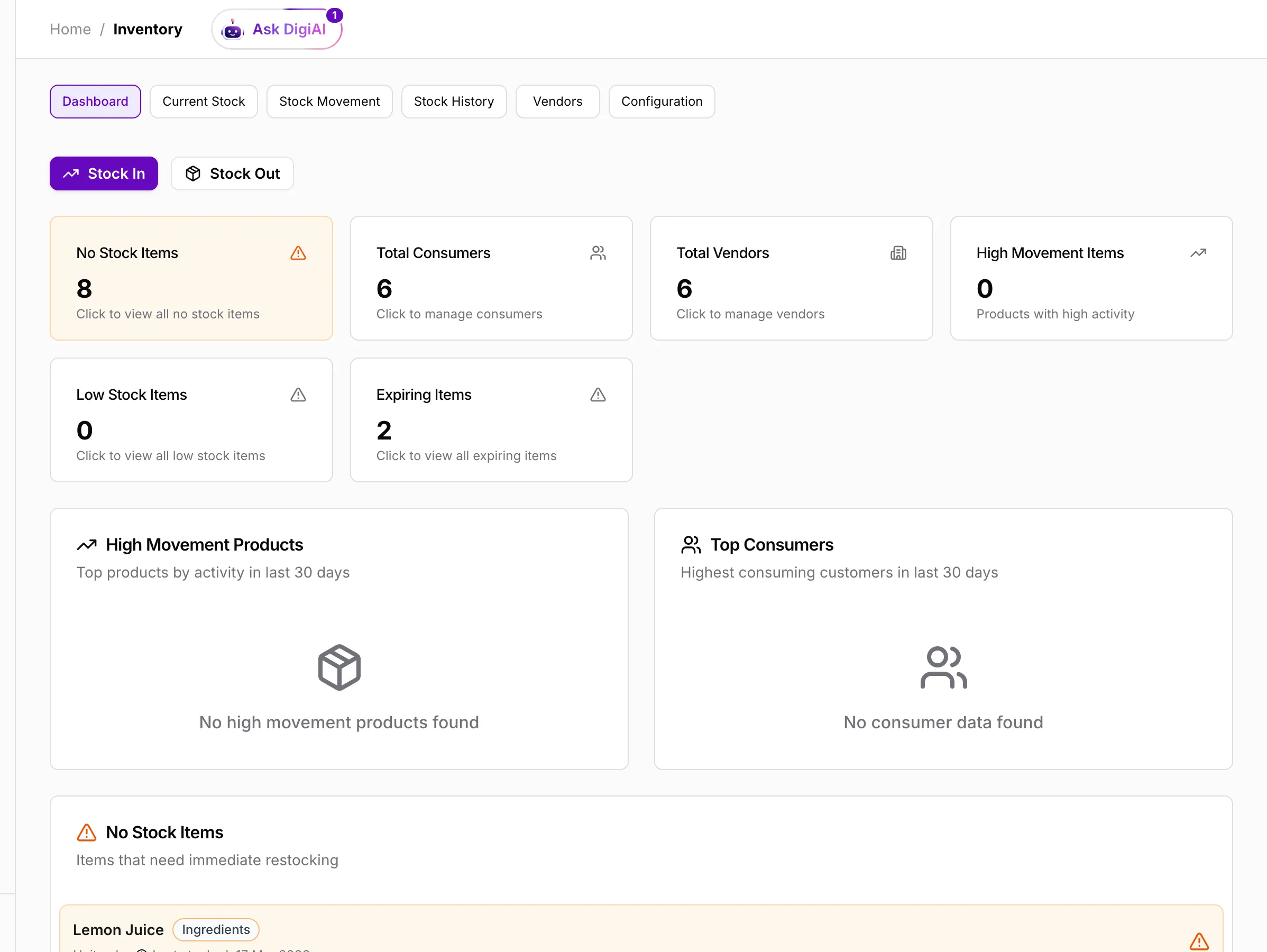
The dashboard shows what your stock is worth, which items have fallen below their minimum and which are about to expire, so the morning order writes itself.
- Stock value, low stock and expiring
- Minimum and maximum per item
Every order takes its ingredients
Link a dish to its recipe once. Each time it is ordered, from a table, the bar or a room, DigiStay takes the ingredients out of stock on its own.
- Automatic stock out on every order
- Restaurant, bar and room service
A recipe for every dish
List what goes into each dish and how much. The recipe list shows which dishes are fully in stock and which are short of an ingredient.
- Ingredients and quantities per dish
- In stock or short, at a glance
Stock in with the purchase bill
Record what arrived from which vendor, at what price and tax, and attach the purchase bill. Stock updates the moment you confirm.
- Vendor, price and GST per item
- Purchase bill attached
Issue stock to the kitchen, bar or rooms
Send stock out to a department, a staff member or a room. Ask for more than you have and DigiStay warns you before it goes negative.
- Departments, staff and rooms
- Shortage warning before stock out
Expiry alerts before it goes to waste
Add the expiry date when stock comes in and choose how early to be warned. Items expiring today or this week sit at the top.
- Alert me before, your choice
- Expiring today, this week
Vendors and what you owe
Every vendor with their purchase bills and payments in one place, so you know what you bought and what is still to pay.
- Purchase bills and payments
- Vendor history
Buy in cases, use in grams
Buy in the unit your vendor sells and use in the unit your kitchen measures. Set the conversion once and DigiStay does the maths.
- Custom units
- Conversion set once
Every movement on record
Every stock in, stock out and adjustment with who, when and why. Filter by product, vendor or date and export it for your accountant.
- Filter by product, vendor or date
- Export in one click
Pairs well with Inventory and recipes.
Questions about Inventory and recipes.
Does stock come off when food is ordered?
Yes. Link each dish to its recipe, and every order from a table, the bar or a room takes its ingredients out of stock automatically.
Can I track stock for the kitchen, bar and housekeeping?
Yes. Issue stock to any department, staff member or room, and see what each one used and when.
Does DigiStay warn me before I run out?
Yes. Items below their minimum and items about to expire show on the dashboard, and you choose how early to be warned about expiry.
Can I attach the purchase bill?
Yes. Attach the bill when you stock in, with the vendor, price and tax for each item.
What if my vendor sells in cases and we use grams?
Set the unit conversion once and DigiStay converts every stock in and stock out for you.
See inventory and recipes on your own property.
A short call, with your own rooms and rates.